Explore Our Latest News & Articles
Spring marks the start of longer days and milder weather. It's the time we all start thinking about getting back on the water. Seasonal changes, maintenance projects, and navigation hazards can complicate your boating adventures if you're unprepared.
Waterway Explorer is designed to help you navigate these challenges by providing advice and up-to-date information on USCG navigation alerts, local knowledge of the waterways, and official schedules of bridges and locks. When using Explorer you can plan a route that avoids hazards, reduces delays and keeps your time on the water safe and predictable.
Understanding Navigation Alerts
Navigation alerts are gathered from USCG reports, Army Corps of Engineers data, shoaling reports, and verified boater observations. Common examples include:
- Bridge or lock closures due to maintenance, seasonal restrictions, and normal operations
- Shoaling or dredging in problem areas
- Damaged or missing aids to navigation (ATONS)
- Temporary hazards, such as debris or construction zones
Pro Tip: Checking alerts in advance allows you to adjust your route or timing, reducing stress and preventing unsafe situations.
Alerts give you the context you need to make informed decisions before and during your cruise, ensuring your time underway is smooth and worry-free.

How Waterway Guide Explorer Helps You Navigate Safely
Explorer consolidates route information and alerts in one convenient place. Here's how it works:
1. View Alerts Along Your Route
Enter your starting point and destination in the Search window to see all active alerts on your planned path, complete with mile markers, hazard type, and expected duration.
2. Access Detailed Alert Information
Click on an alert and the Full Listing option to get specific details, including:
- Location by mile marker
- Type of hazard or restriction
- Effective dates and times
- Special instructions such as bridge schedules, lock restrictions, or hazards
3. Stay Updated in Real Time
Explorer continuously updates alerts, so you'll always have the latest information. Unexpected closures, shifting shoals, or missing markers are displayed and refreshed daily..
4. Sign Up for Email Notifications
For extra peace of mind, you can receive email alerts for your selected regions or routes. You can opt-in for real-time, daily, or weekly notifications that are sent to your selected email account.
5. Navigation Alerts in Aqua Map
As an added bonus, if you use the Aqua Map mobile navigation app, Waterway Guide's Navigation Alerts are also posted on the charts in that application. Simply select the Waterway Guide data option in the main menu of the app's settings and you will see the symbols on your charts.
Safe Spring Cruising
Safe spring cruising starts with preparation. Navigation Alerts from Waterway Guide give you the insight you need to avoid hazards, plan your timing, and make smart decisions on the water. When using Waterway Explorer and dedicated email notifications you will stay informed so you can enjoy your cruise with confidence.
Whether it's your first cruise of the season or a long range trip, using Waterway Guide Navigation Alerts ensures that your time on the water is safer, smoother, and more enjoyable from start to finish.



- 4,000 Marinas
- Thousands of anchorages
- Updated Charts
- Mile-by-Mile Navigation
- Highlighted Alerts & Cautions
- Full-Color Aerial Photographs
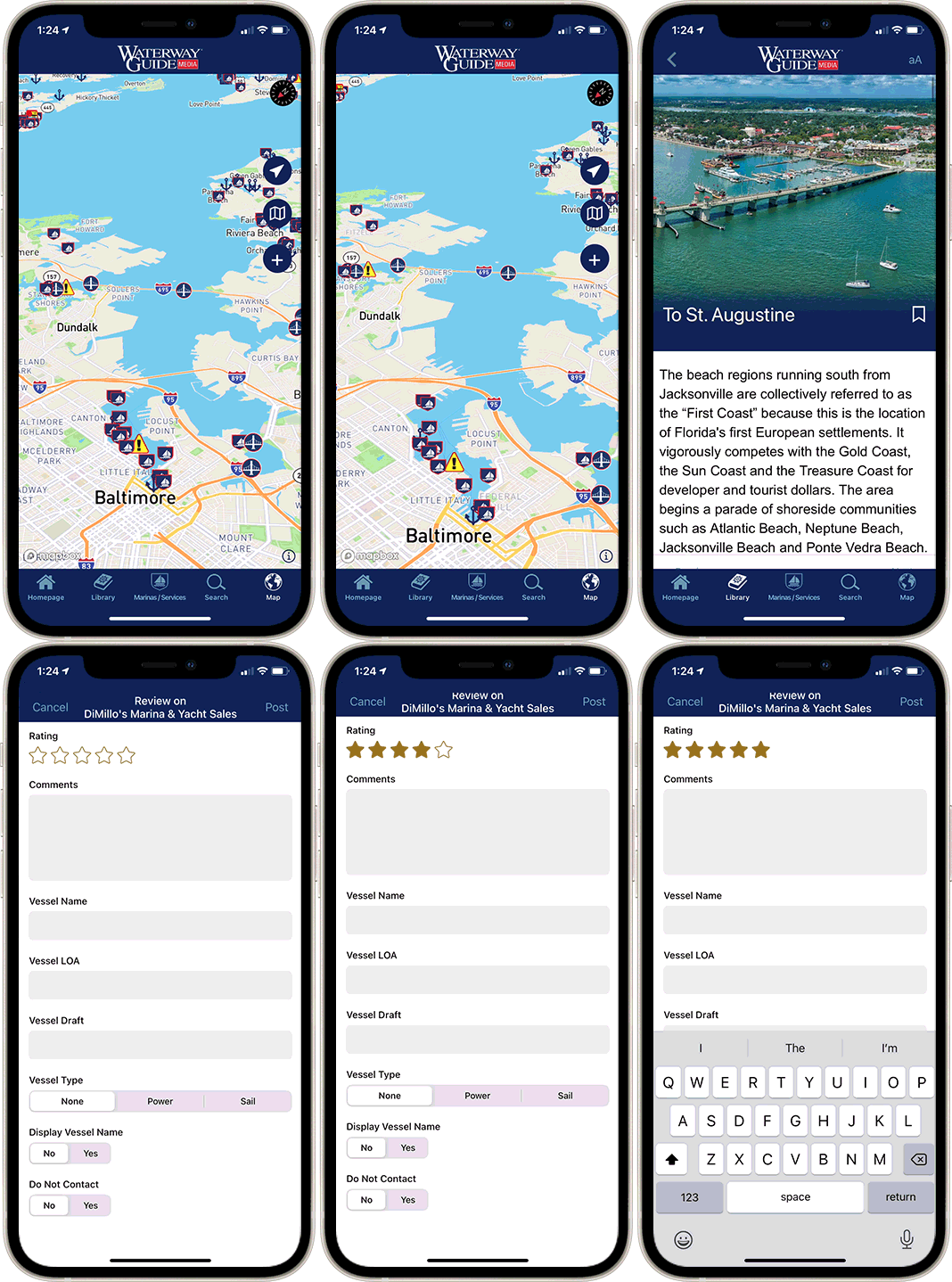
The Waterway Guide App Makes it easy to leave reviews, use our explorer, and view waterway guide materials all on the go!